
QED Warming Cabinet Instructions
Changing Set Temperature
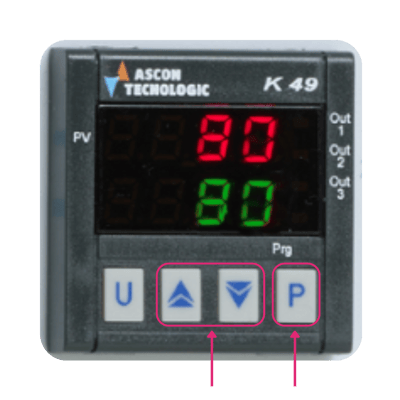
To change the set temperature point on your QED Warming Cabinet, please follow these steps:
- Press 'P' button.
- Use the 'Up' or 'Down' arrow to set the temperature accordingly.
- Once you're desired temperature is displayed, press 'P' button to confirm.
- Your chosen temperature will now be set, please wait for the screen to return to normal.
💡Please note, overheat protection is set automatically - you will not need to change this when changing the set temperature of your warming cabinet.